
UK service, facilities & compliance teams
Every job, from first call to final handover.
Engineers capture work on site. The office reviews it. Customers find the released record.
No card required. No long-term lock-in.Standard monthly packages. No long-term lock-in. Verify your email to start.
Running an electrical team? See the electrical contractor workflow
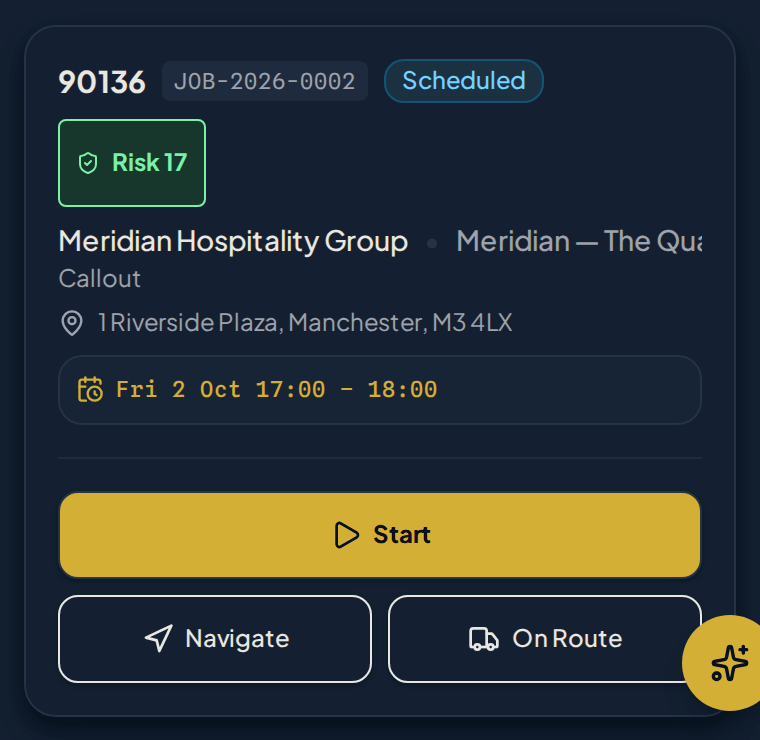
Step 1 of 9
Open the call-out from Today
Pick up the assigned reactive job straight from Today. The Site, visit details and next action are already together.
Open the job itself—not a separate message or paper diary.
Real Curcle Engineer screens using fictional showcase data and stock. One staged reactive job runs from Today through Completed, with Site history from the same Site. The optional offline pair shows a separate unsigned EICR draft—not offline job completion. Detail views are unaltered crops; full size opens the original screens.
A daily workspace, not a data-entry chore.
The current job, the next action and site history in one place, with time and evidence attached to the record the office reviews.
Engineer Today
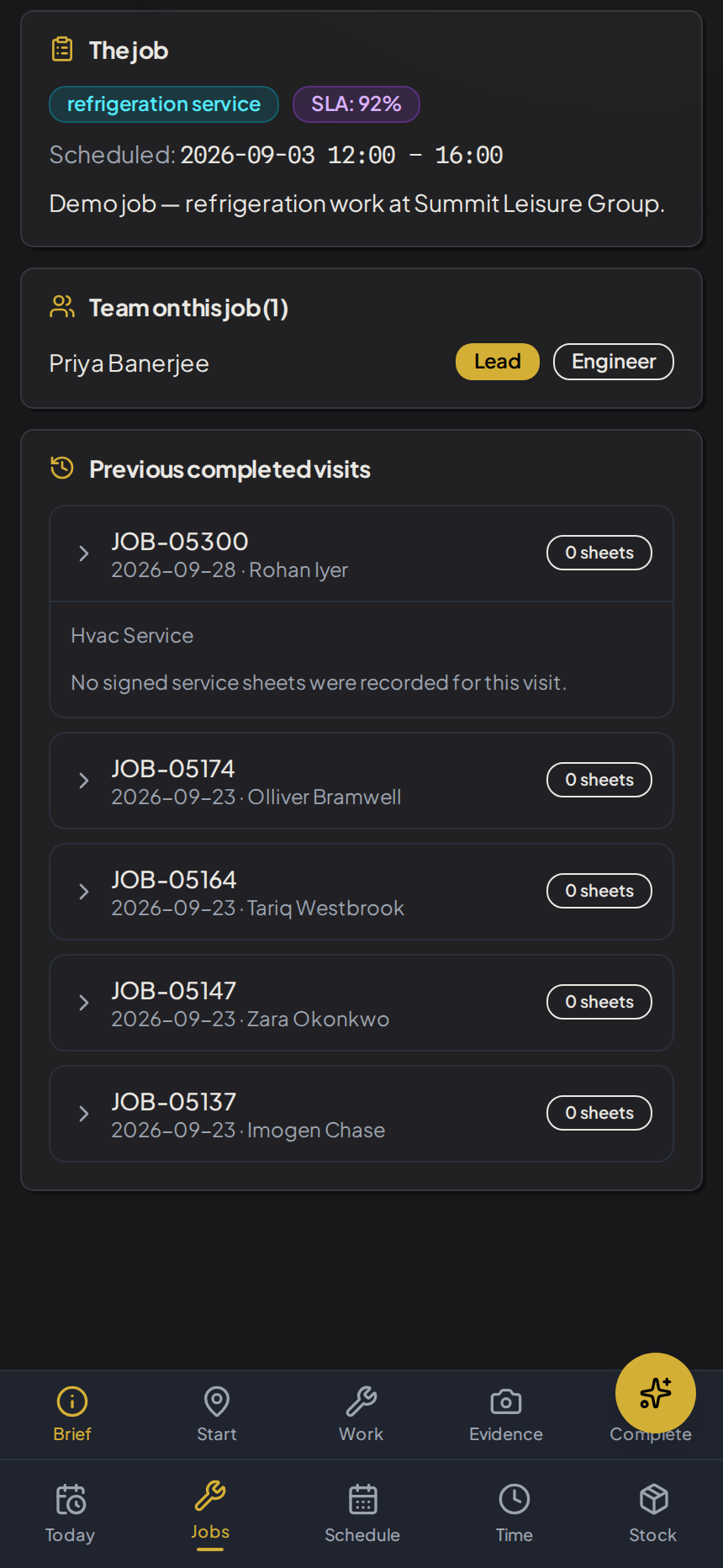
Clear focus on current and next assigned jobs. Check in, view asset context, and execute.
Capture work on site
Log time and check-ins; attach photos, readings and voice notes to the job. Native camera and dictation help reduce re-entry.
Know what has synced
Supported changes can be saved on device when the signal drops, with clear waiting-to-sync and synced states.

Try it on your own jobs.
No card required. No long-term lock-in.

One connected record
Follow one job all the way round.
Seven hand-offs, one record. Each stage shows who acts, what moves forward and the action it creates.
Illustrative sequence. The screens come from separate fictional showcase records, not one customer job, and this is not a customer case study.
Operations
Request becomes a job
A customer call or planned requirement is logged against the right customer, site and asset.
- Moves forward
- Customer, site, asset and the reason for the visit
- Next action
- Plan and assign the work
Stage 01
Real Curcle screen, fictional showcase data.View full size (opens in a new tab): Planning and dispatch board with jobs ready to schedule Engineer
The engineer arrives informed
Engineer Today shows the current and next job with site history before the van door opens.
- Moves forward
- Brief, access notes and previous findings
- Next action
- Check in and confirm the asset
Stage 02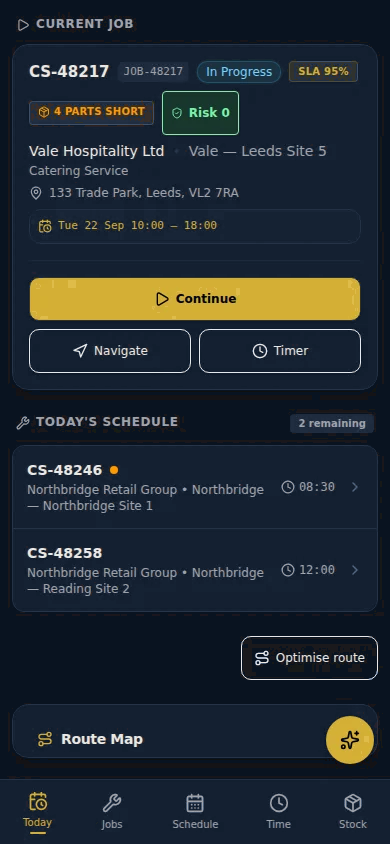
Real Curcle screen, fictional showcase data.View full size (opens in a new tab): Engineer Today showing current and next assigned jobs Engineer
Work and evidence stay on the record
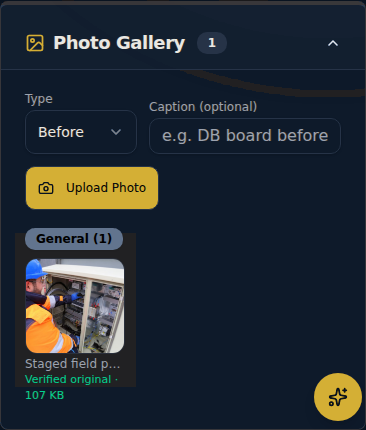
Photos, readings and notes are attached to the job, not to a phone gallery or a message thread.
- Moves forward
- Readings, photos, time and observations
- Next action
- Submit for office review
Stage 03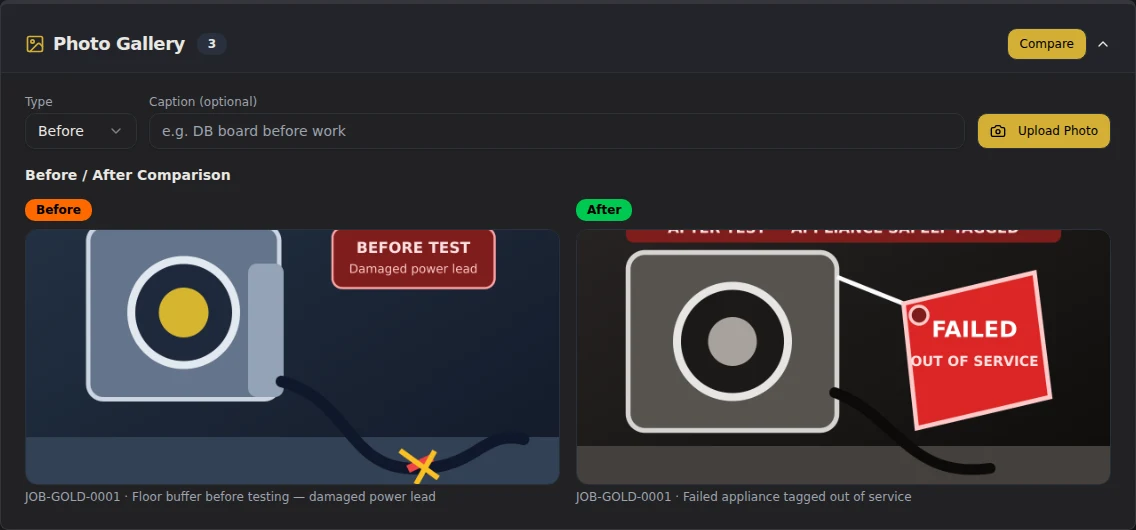
Real Curcle screen, fictional showcase data.View full size (opens in a new tab): Job evidence gallery with photos attached to the job record Compliance / QS
A competent person reviews
Observations, board context and evidence are checked before anything is released.
- Moves forward
- Reviewed findings and a release decision
- Next action
- Release the record or return it
Stage 04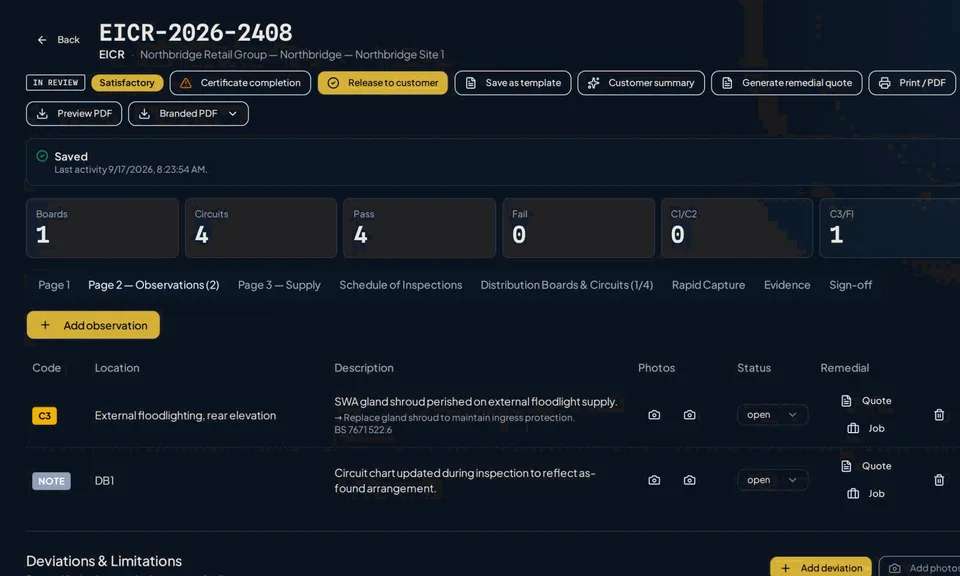
Real Curcle screen, fictional showcase data.View full size (opens in a new tab): EICR observations under review with linked board context Commercial
Findings become commercial follow-up
Remedials, quotes, costs and invoices are progressed from the job record rather than re-keyed elsewhere.
- Moves forward
- Remedial scope, costs and invoice lines
- Next action
- Quote, approve or invoice
Stage 05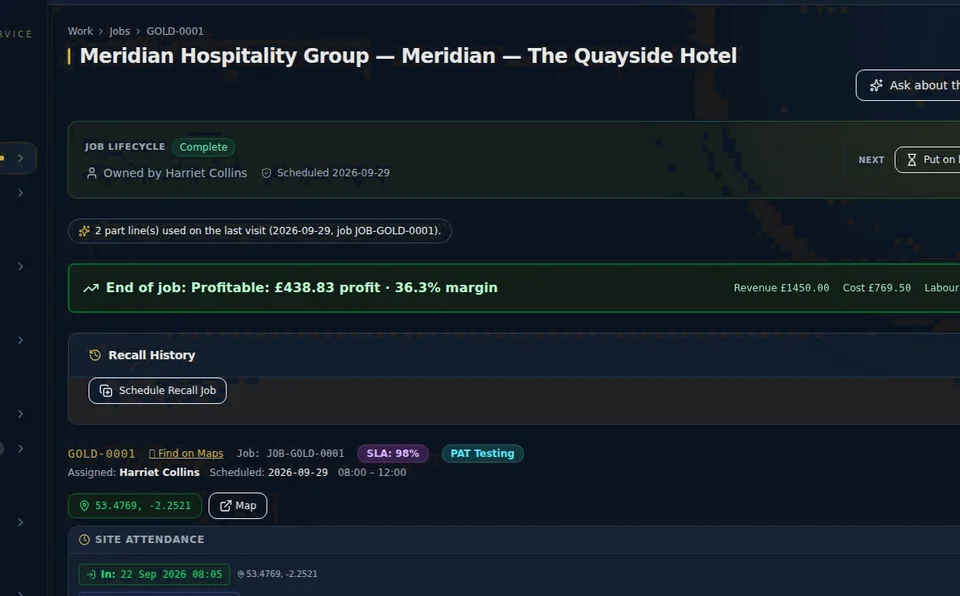
Real Curcle screen, fictional showcase data. Shows the job workspace only; it does not show a quote, invoice, export or payment.View full size (opens in a new tab): Active job workspace for a single job, showing its status and job details Customer
The customer finds the released record
Authorised contacts see released certificates and visit history in the customer portal.
- Moves forward
- Released record and site history
- Next action
- Approve remedials or plan the next visit
Stage 06
Real Curcle screen, fictional showcase data.View full size (opens in a new tab): Customer portal showing a released record Operations
The next planned visit stays connected
Development preview, not generally available
Asset history informs what is due next. Asset-aware PPM planning is in development and not yet generally available.
- Moves forward
- Asset history and what is due next
- Next action
- The loop starts again
Stage 07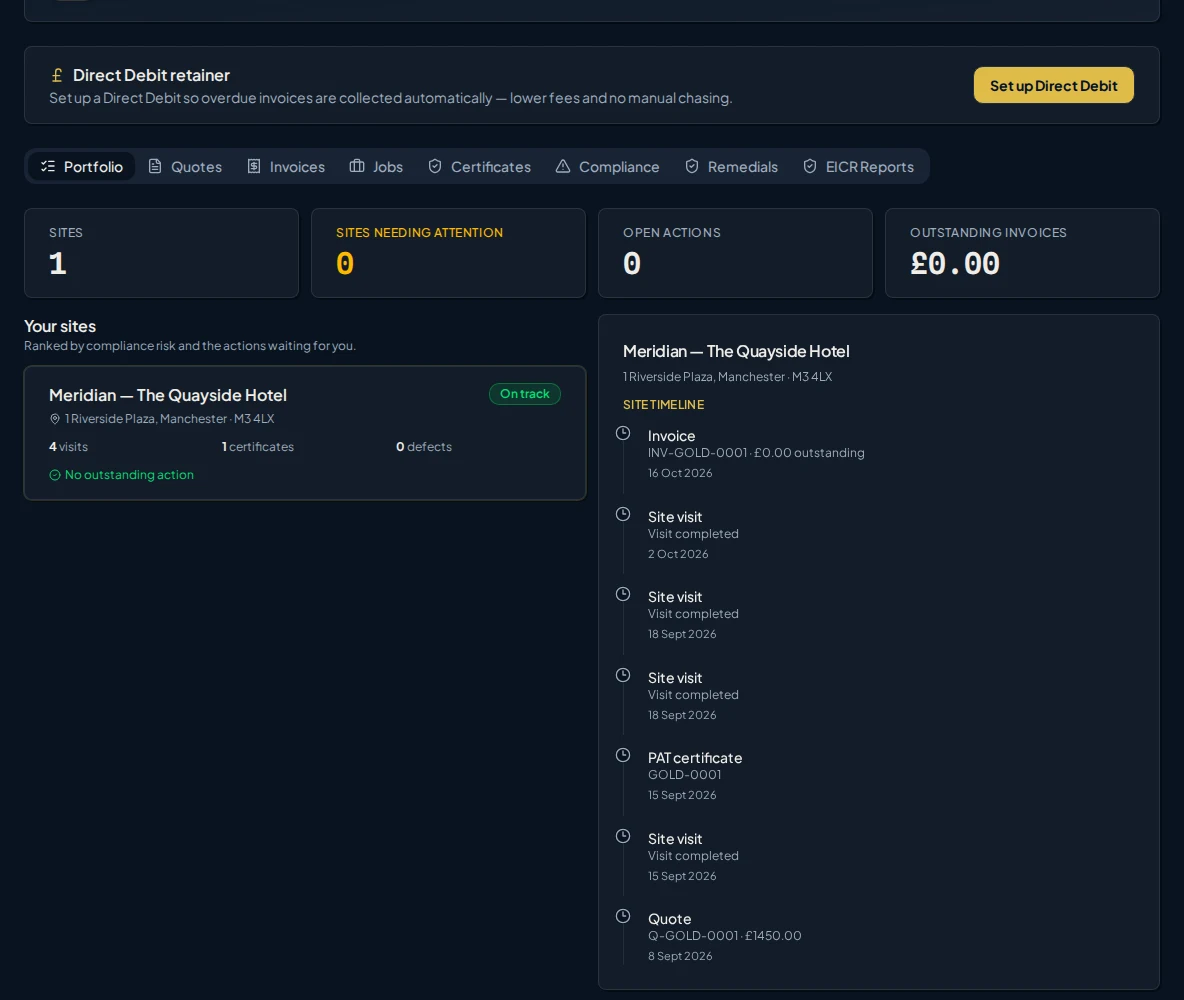
Real Curcle screen, fictional showcase data. This existing capture does not show the PPM preview.View full size (opens in a new tab): Site history showing previous visits against the site

The disconnected operation

With Curcle
One operational record around the work.
Context, evidence and commercial follow-up stay together, so nobody pieces the job back together afterwards.

Six connected control surfaces
Each links to the detail. Start with the one that hurts most.
Latest update: The right accreditation logo, without another upload. See what changed
Operations & Planning
Customers, sites, assets, jobs, planning and attention.
Engineer App
Engineer Today, job context, time, evidence and offline work.
Native Compliance
Structured inspections, review, findings and release.
Commercial Controls
Quotes, remedials, stock, purchasing, costs and invoices.
Customer Portal
Released records, portal access and communication.
Intelligence & Review
Operations Room, Clarity and Ask Curcle.

One record, six views of it
Each role works from the same job record and sees what it needs to act.

Native compliance proof
Structured workflows that connect the inspection, observations, evidence and competent-person review, not just a PDF at the end.
Electrical contractors
Managing an electrical team?
See how Curcle connects site evidence, QS review, released EICRs and remedial work.
Example: Reviewing native EICR observations with linked board context before release.
Curcle Intelligence
Intelligence built into the work, not added as a chatbot.
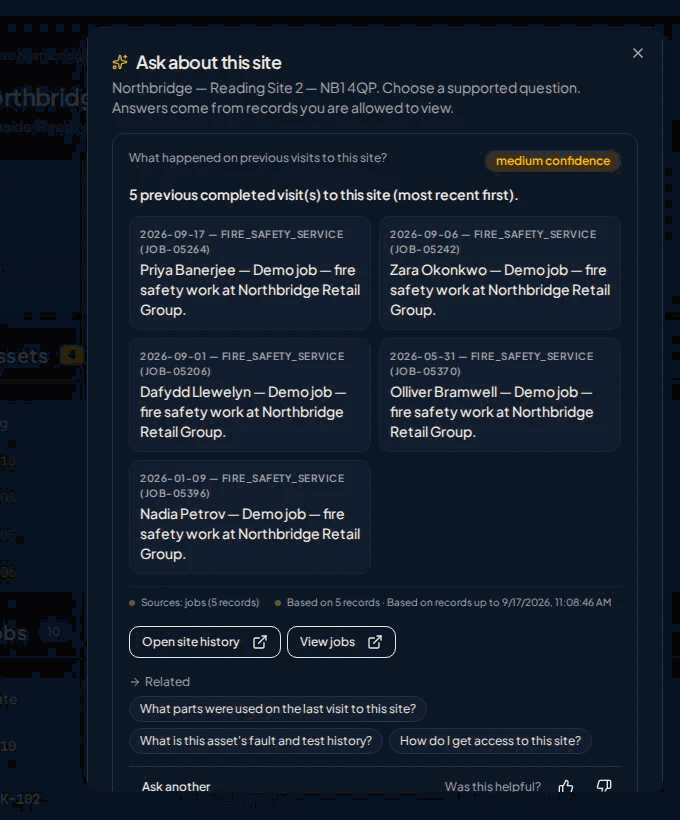
Curcle prepares engineers, explains what needs attention, drafts routine communications and helps teams review compliance records. Answers are bounded by your records. Significant decisions stay with your people.
Clarity helps you understand. Assist helps you prepare.
Clarity · Ask
An answer that shows its working
Clarity · Prepare
Site history before the engineer travels
Assist · Review
Photograph the issue. Confirm the observation.
- 1. Photograph. The engineer captures the defect on the EICR.
- 2. Draft. AI extracts a draft observation, code and location, with per-field confidence. It is not a certificate.
- 3. Confirm. The competent person edits and confirms. The photo, AI output and edits are recorded.
Requires the Electrical module and a configured AI provider.
Actual Curcle product screens, shown with fictional demonstration records.
Curcle supports qualified review and human decisions. QS findings now follow through to an owned correction and separate review, in controlled pilot. It does not certify competence or act autonomously.

Management views
Two management views built on the same records: one for meetings and actions, one for portfolio compliance gaps.
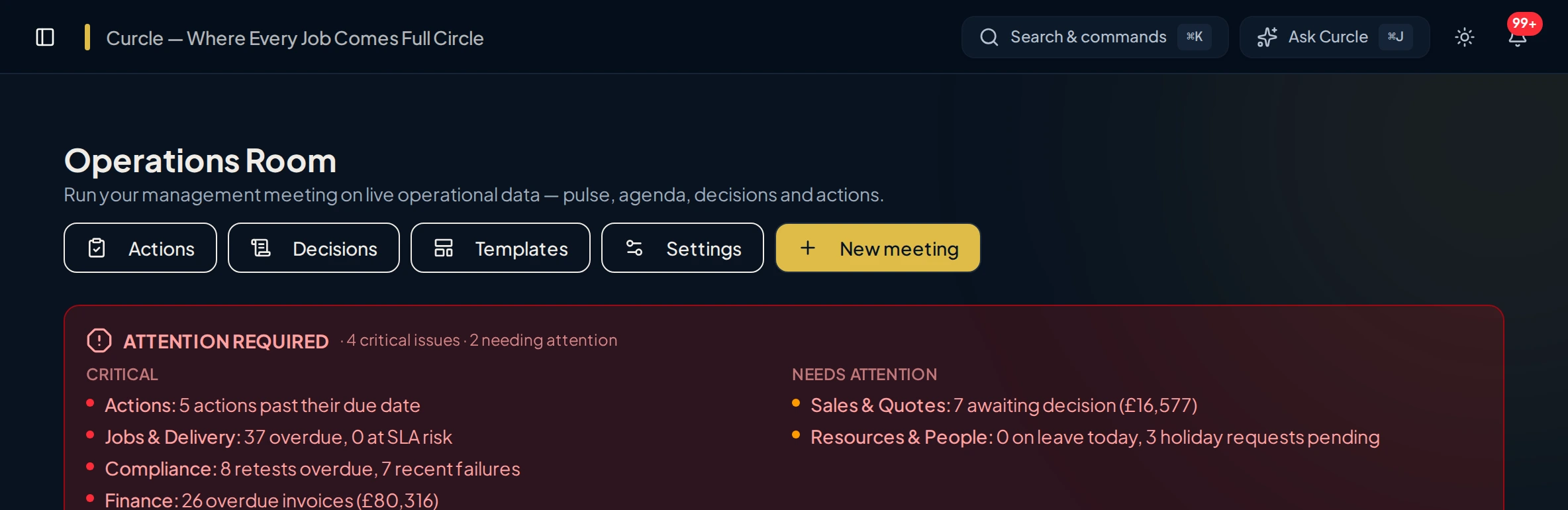
Operations Room
Turn live operational data into meeting agendas, decisions, owners and actions, and keep agreed actions visible at the next review.
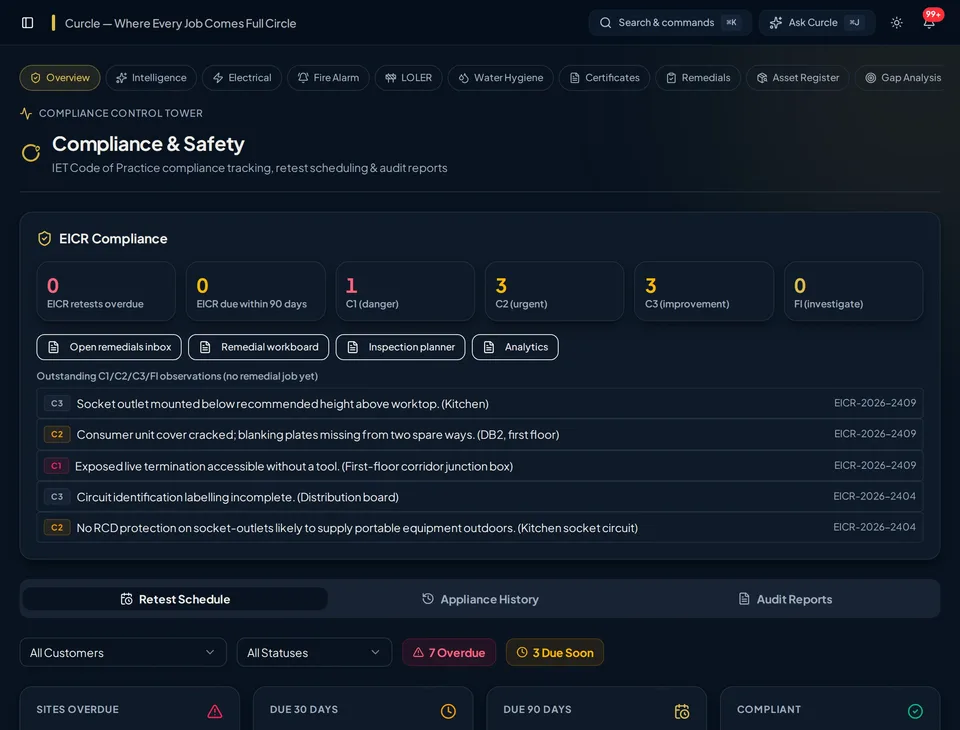
Compliance Control Tower
Compare expected asset registers against actual test history to see overdue, due-soon and never-tested gaps across the portfolio.

"Curcle wasn't built in a vacuum. It was built because we experienced first-hand the friction of running a serious engineering operation across disconnected tools."


Stay because Curcle works for you—not because a contract makes you.
Start with a free 14-day trial, no card required. Prefer a guided look at your workflow? We can walk through the real product together.
Monthly packages. No long-term lock-in. See pricing and cancellation details.