
Software doesn't replace qualified judgement—it preserves it.
Curcle provides dedicated workflows for complex regulatory records. We capture the evidence, track the defects, and enforce the review process, but the competent person always makes the final call.

The Human Boundary
Most compliance software attempts to automate the outcome. Curcle refuses to do this. We believe that generating a PDF is not the same as verifying safety.
- 1
Field Capture
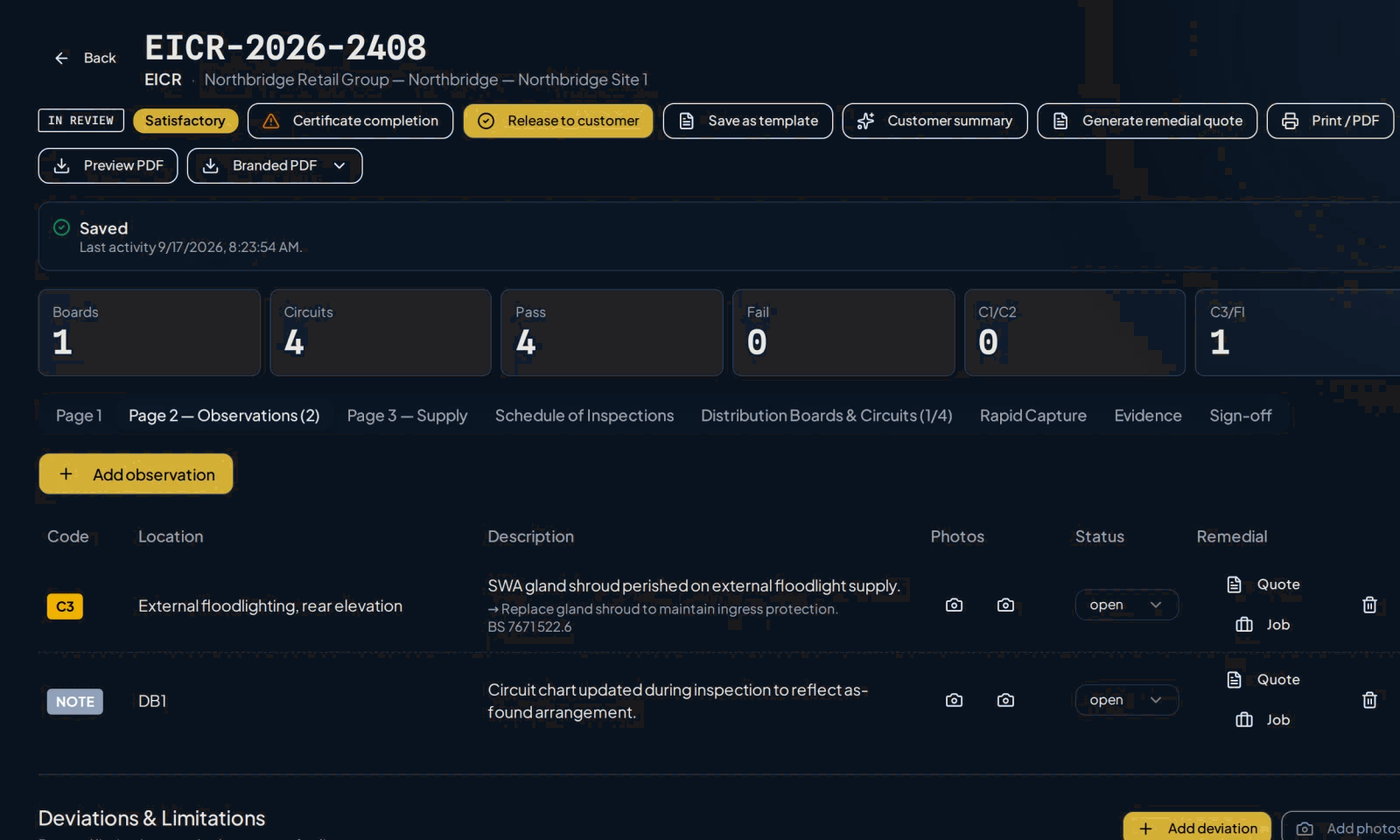
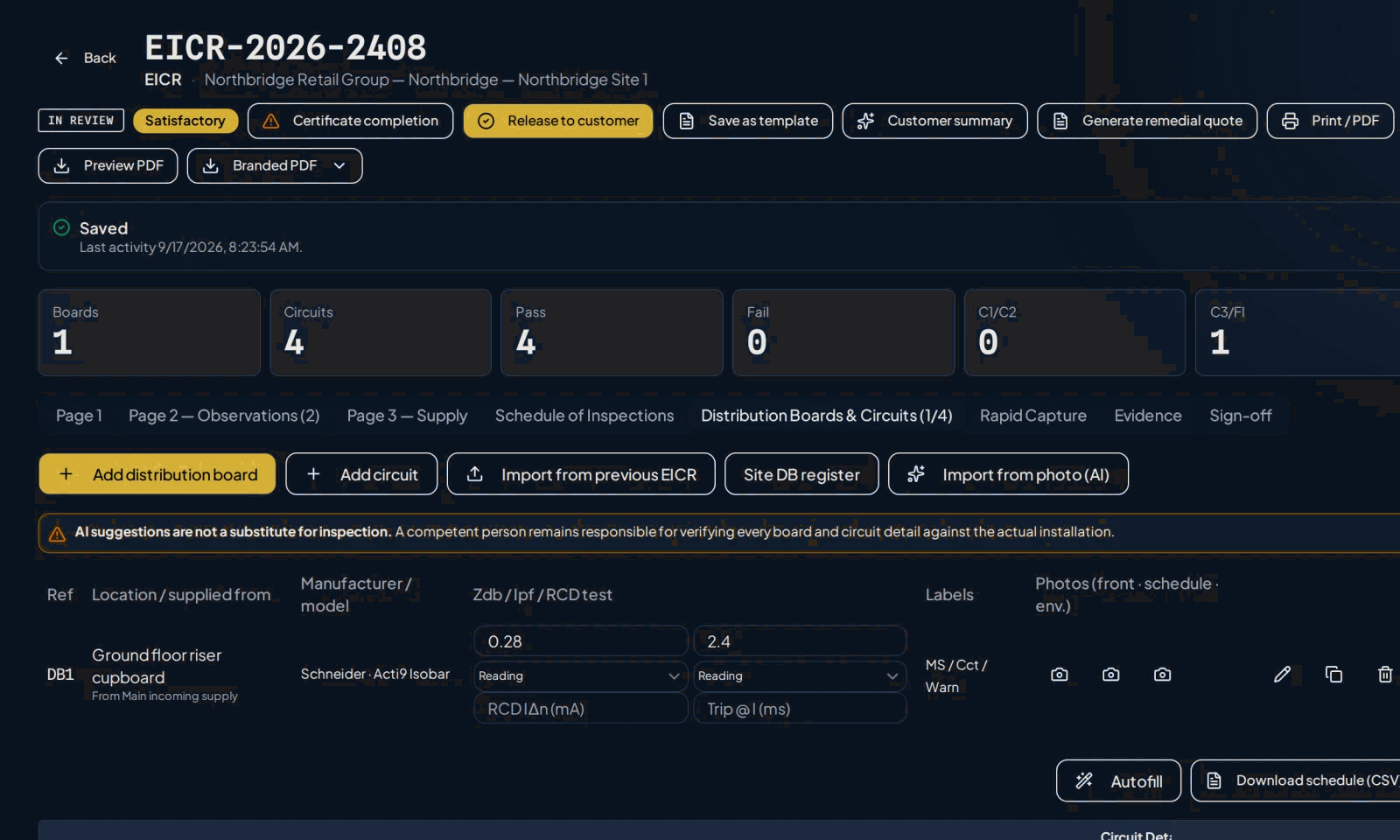
Engineers capture readings, select structured observation codes, and attach photographic evidence directly to the specific defect.
- 2
Office Review
The record enters a strict 'In Review' state. The Qualified Supervisor or compliance lead reviews the evidence against the observations.
- 3
Release
Only a human with the correct permissions can declare the record satisfactory and release it to the customer portal.
The Control Tower
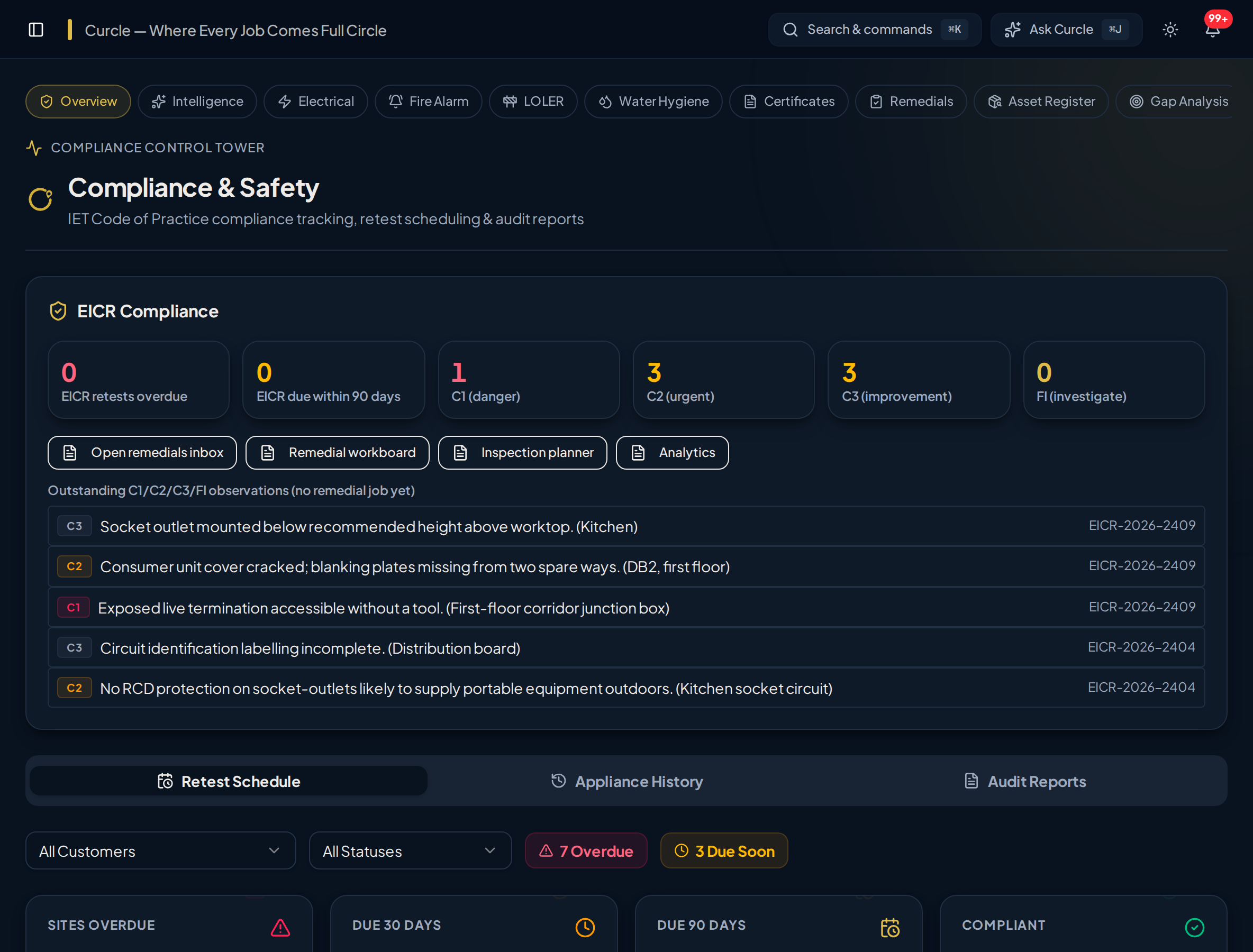
Most compliance systems only show you the certificates that exist. They fail to tell you what is missing. The Curcle Control Tower compares expected asset registers against actual test history so teams can find overdue, due-soon and never-tested gaps.
- Expose overdue, due-soon, and never-tested gaps
- Drill down from high-level RAG status to individual test records
- Generate structured portfolio coverage exports for audit defensibility
Supported Native Workflows
Curcle maintains specific, versioned data models and workflows for the following compliance disciplines:

Certificate branding
Your registration. The right logo. No extra upload.
Add your company's registration once and use the matching scheme logo on supported new certificates and trade-tagged service sheets. Standard artwork is available for NICEIC, Gas Safe and NAPIT Electrical.
Professional documents, branded for your business.
A header produced by Curcle's certificate engine for a fictional business, showing where your details appear.
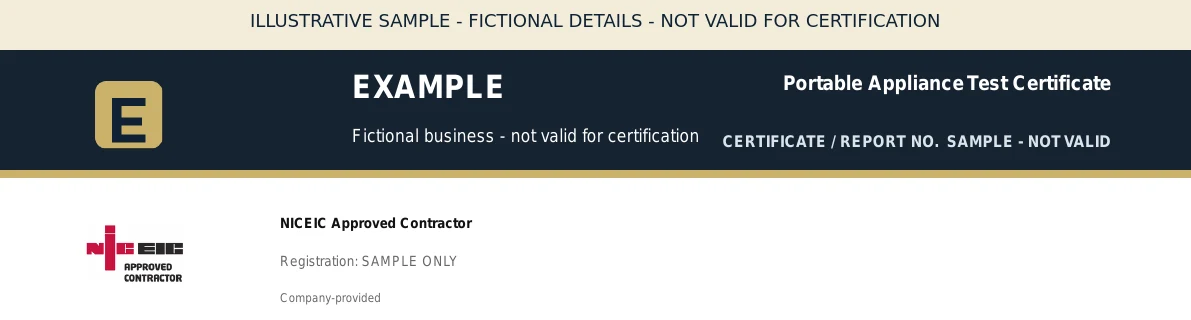
- Company logoYour own business logo, uploaded once in company setup.
- Scheme markCurcle selects the NICEIC or NAPIT mark matching the scheme you selected from your declared registration.
- Registration numberPrinted as entered by your business. It is company-declared, not checked against a live register.
How does Curcle choose the right scheme logo?
Select the scheme you belong to and enter its registration number in company setup. NICEIC businesses choose Approved Contractor, Domestic Installer or both; a number alone cannot identify that scheme. Gas Safe and NAPIT Electrical use their supported standard marks automatically. You can switch logo display off, and marks with a recorded expiry date are excluded after that date.
Does adding a logo verify our membership or make it an official scheme certificate?
No. Registration details are company-declared, not independently checked against a live register. Your business remains responsible for current registration, permission to use the mark and the scope of its work. These are company documents produced in Curcle—not certificates issued or endorsed by NICEIC, Gas Safe or NAPIT. Existing issued documents are not changed retrospectively. Other schemes remain text-only unless their existing custom-logo option is supported.
Review the boundary, not just the output.
See how structured evidence and qualified judgement stay connected in a live workflow.