
Gas Safety & CP12
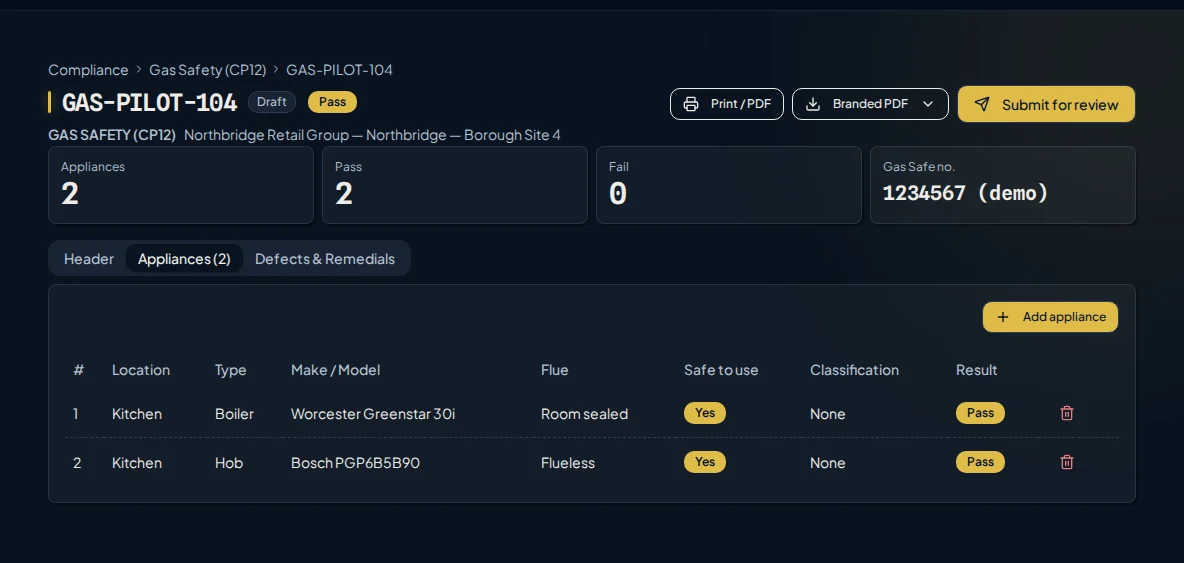
Dedicated Curcle Gas/CP12 workflow connects appliance checks, readings, defects and review.
The Workflow
Establish the property, landlord, and appliance context
Capture appliance checks, readings, and operating pressures
Log any identified defects and their classification
Review the gas safety record in the office
Core Capabilities
Structured Information
Capture exact combustion readings and appliance details.
Defect Workflow
Ensure identified safety defects are tracked for immediate remedial action.
Review Boundary
Maintain strict human review before the CP12 record is released.
See it running your operation.
Let’s discuss how this workflow fits your teams, records and working day.

Certificate branding
Your registration. The right logo. No extra upload.
Enter your company's Gas Safe registration number once. Curcle selects the registered-business logo for supported new gas safety and commercial catering certificates, and gas-tagged service sheets.
Professional documents, branded for your business.
A header produced by Curcle's certificate engine for a fictional business, showing where your details appear.
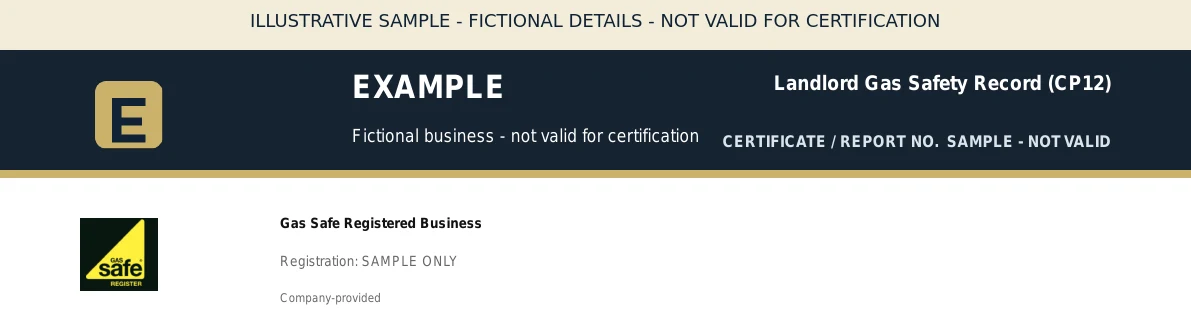
- Company logoYour own business logo, uploaded once in company setup.
- Scheme markCurcle selects the Gas Safe registered-business mark from your declared registration.
- Registration numberPrinted as entered by your business. It is company-declared, not checked against a live register.
How does Curcle choose the right scheme logo?
Select the scheme you belong to and enter its registration number in company setup. NICEIC businesses choose Approved Contractor, Domestic Installer or both; a number alone cannot identify that scheme. Gas Safe and NAPIT Electrical use their supported standard marks automatically. You can switch logo display off, and marks with a recorded expiry date are excluded after that date.
Does adding a logo verify our membership or make it an official scheme certificate?
No. Registration details are company-declared, not independently checked against a live register. Your business remains responsible for current registration, permission to use the mark and the scope of its work. These are company documents produced in Curcle—not certificates issued or endorsed by NICEIC, Gas Safe or NAPIT. Existing issued documents are not changed retrospectively. Other schemes remain text-only unless their existing custom-logo option is supported.