
The complete operational platform.
Curcle connects six core areas of your service business into one continuous record. No more chasing data across disconnected systems.

Operations
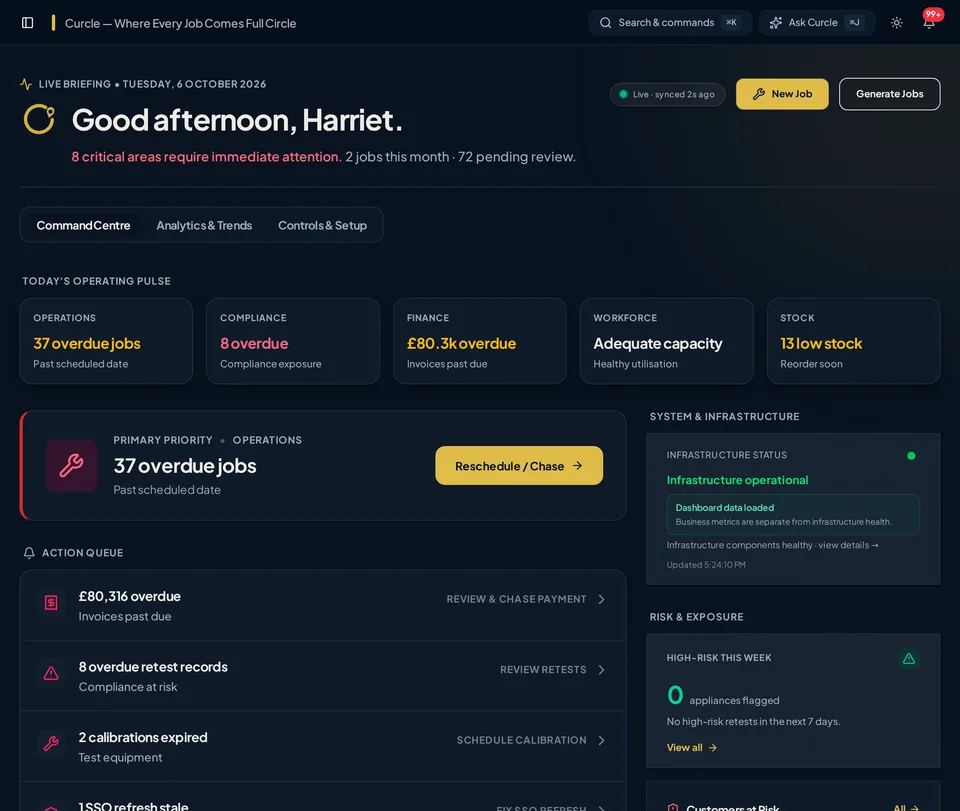
Plan the work and know exactly where attention is required.
- Customer and Site records with complete history.
- Asset registers and maintenance requirements.
- Job creation and multi-week scheduling.
- Attention and exception states that surface stalled work.
- Company-managed security groups to match permitted staff access to responsibilities.
- Repeat and recurring maintenance planning.
Equip the field. Empower the office.
Give engineers the context and controls they need on site. Once synced, their time and evidence become part of the job record for office review and commercial follow-through.
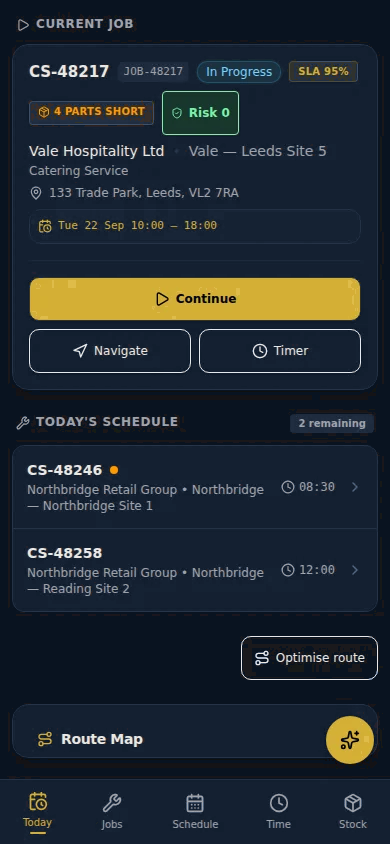
Real Engineer Today capture with fictional showcase job data.
Engineer Today
Current and next assigned jobs at a glance. Full Site and asset context is available before starting work.
Time & Travel
Check in and out, and log labour and travel time against the working day and job where configured.
Evidence stays with the job
Engineers can capture readings, voice notes and photos against the job. Supported compliance workflows can also link evidence to specific observations, ready for human review.
- Job-linked photos, readings and voice notes
- Supported queued offline writes with visible sync states

Real interface capture. Uploaded field photo is illustrative, not real customer evidence.
Direct to Office Review

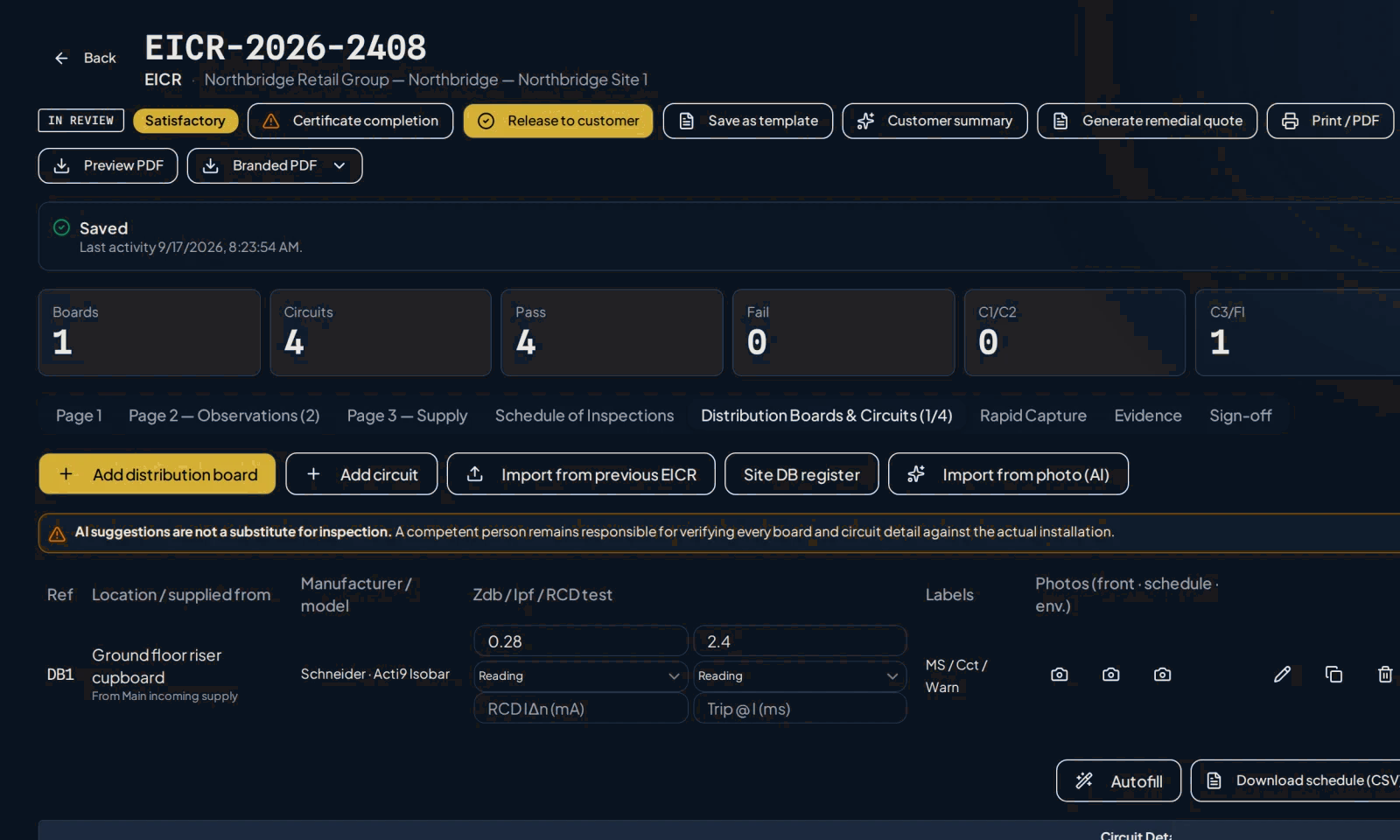
Observations and review actions in a fictional showcase report.
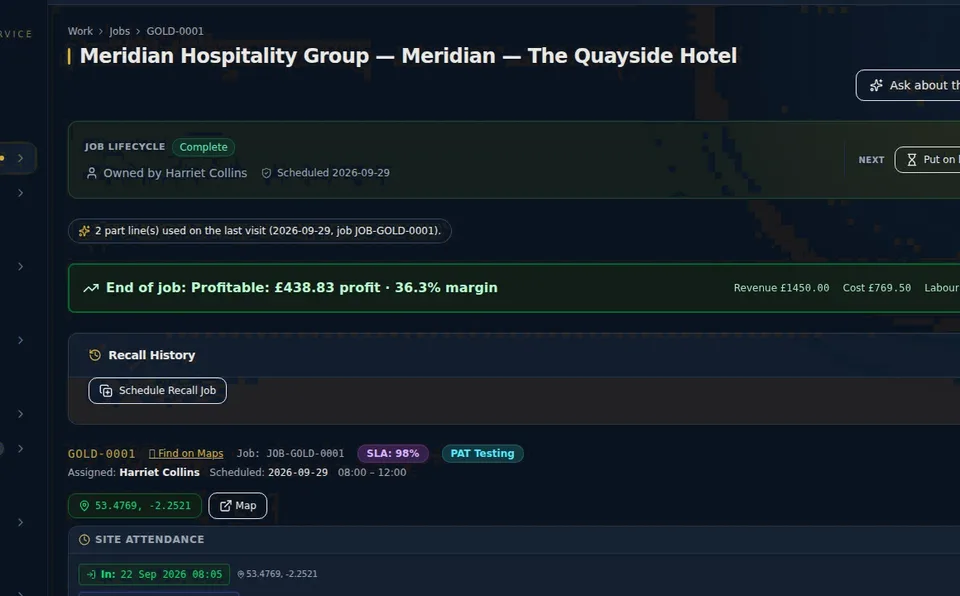
Commercial progression and job profit view.
Once synced, field evidence is available to the office in the connected job record. Managers can review findings, compare before/after photos and progress follow-on work without re-entering the same information.
Native camera, GPS, dictation and push depend on device permissions. Offline saving covers supported actions; compliance forms, stock actions and signed sheets depend on role and workflow. Authorised people remain responsible for review and release.
Urgent work, with a clear owner
Send a job-linked request to your chosen engineer, keep the conversation private, and distinguish receipt from responsibility. Acknowledgement confirms the request arrived; accepting with an ETA records who is taking it on. The office stays in control of reassignment.
Optional browser alerts, quiet hours and device controls help the right people stay informed. Permission and a supported device are required. Unanswered-request escalation depends on server availability, and a notification is not proof that a person has seen or accepted the job.

Compliance
Dedicated structured workflows that preserve competent-person responsibility.
- Native module breadth across major compliance disciplines.
- Structured findings, readings, and defect priority.
- Integrated photographic evidence against specific observations.
- Human review boundary before record release.
- Immutable retained record history and superseded tracking.
Commercial
Turn field execution directly into commercial outcomes.
- Move findings into remedial quotes, customer approval and follow-on work.
- Job costing visibility and margin tracking.
- Procurement Control Tower for shortages, requests and purchase decisions.
- Stock, van-stock, supplier and purchase-order control.
- Record supplier trade price and discounted cost, apply parts markup to cost with customer-specific overrides, and reuse catalogues, kits and fitting-time estimates.
- Invoicing, with issued invoices sent to Xero or QuickBooks Online where connected.
Note: Some commercial capabilities are dependent on your selected plan and confirmed implementation scope.
Accounting
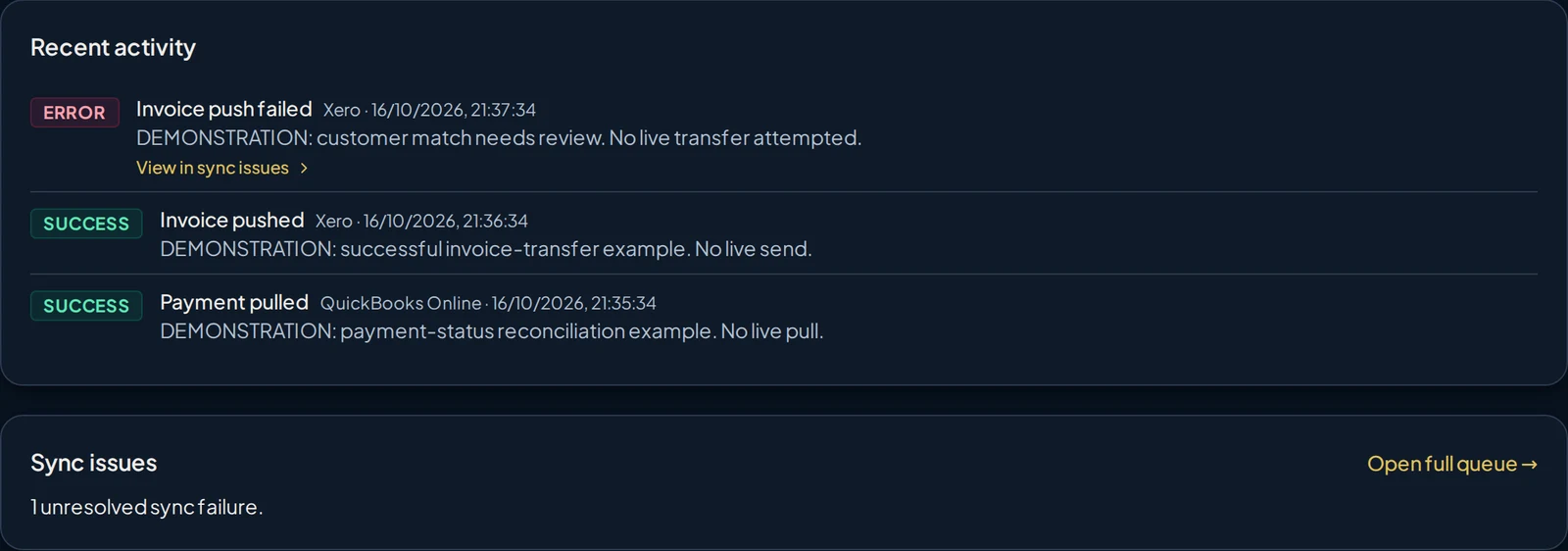
Connect your own Xero organisation or QuickBooks Online company. The work stays in Curcle; the ledger stays in your accounting system.
- Curcle to your ledger: Issued invoices go across with their invoice number, dates, line descriptions, quantities and unit prices. Customers are matched or created from their name and email. Credit notes are supported too; account and tax settings depend on the provider.
- Your ledger to Curcle: For invoices Curcle has already transferred, payment status comes back when someone presses Reconcile now, or on a schedule if scheduled reconciliation is enabled. It is not instant.
- Stays in Curcle: Jobs, engineer work, evidence and certificates stay in Curcle. Your accounting system remains the financial ledger.
Exact-name contact matching with manual choice when names are ambiguous, provider-specific tax settings, and a sync queue with retry. Edition, region, accounts and VAT treatment are confirmed during setup.

Customer
Deliver a professional, accurate outcome directly to the client.
- Secure customer portal for authorised contacts.
- Access to released records and certificates.
- Customer review and approval within supported remedial workflows.
- Clear distinction of corrected or superseded status.
- Centralised customer context and communication history.
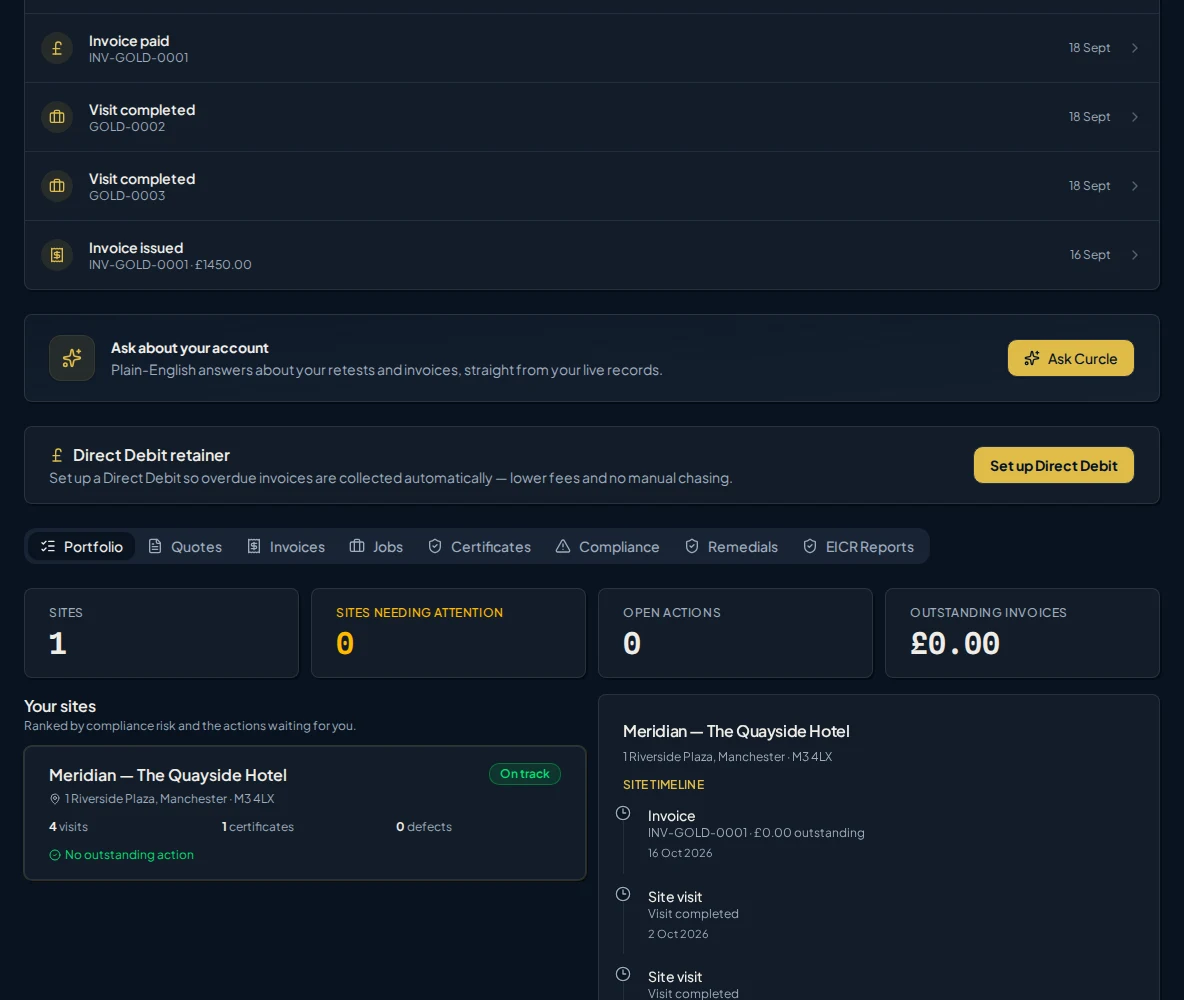
Real Curcle customer portal, shown with fictional demonstration records. View full-size screenshot
Curcle Intelligence
Intelligence built into the work, not added as a chatbot.
Curcle prepares engineers, explains what needs attention, drafts routine communications and helps teams review compliance records. Answers are bounded by your records. Significant decisions stay with your people.
Clarity helps you understand. Assist helps you prepare.
Clarity · Ask
An answer that shows its working
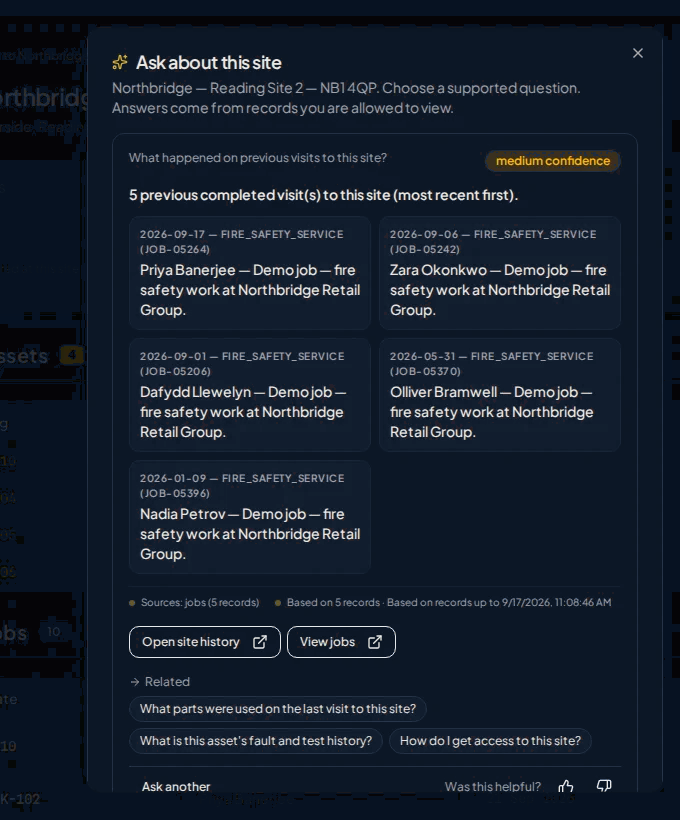
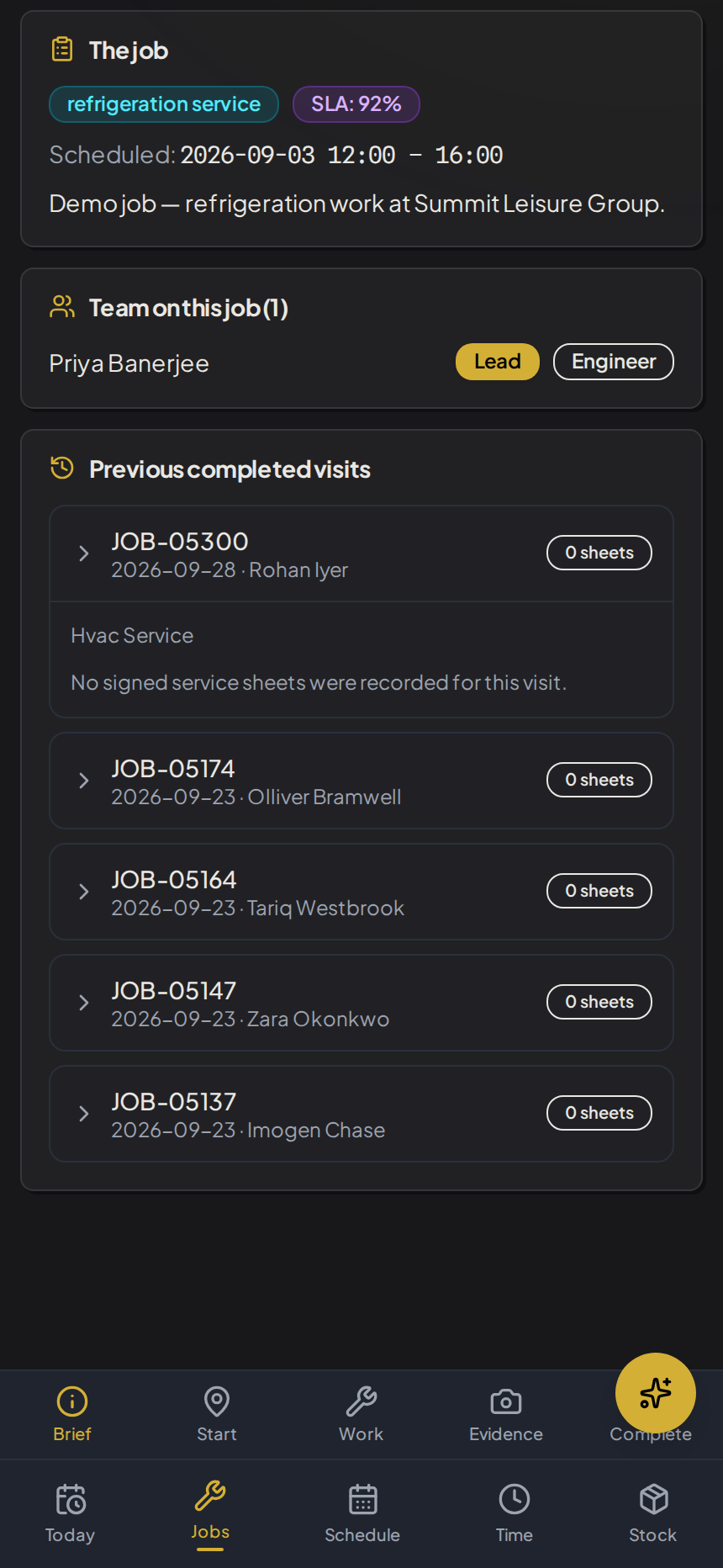
Clarity · Prepare
Site history before the engineer travels
Assist · Review
Photograph the issue. Confirm the observation.
- 1. Photograph. The engineer captures the defect on the EICR.
- 2. Draft. AI extracts a draft observation, code and location, with per-field confidence. It is not a certificate.
- 3. Confirm. The competent person edits and confirms. The photo, AI output and edits are recorded.
Requires the Electrical module and a configured AI provider.
Actual Curcle product screens, shown with fictional demonstration records.
Curcle supports qualified review and human decisions. QS findings now follow through to an owned correction and separate review, in controlled pilot. It does not certify competence or act autonomously.

Beyond the core workflow
The operational depth
serious field teams need
Curcle keeps the surrounding controls connected too. Exact availability, configuration and implementation scope are confirmed for your operation.
Record
Workforce readiness
Skills, training, accreditations, capacity and timesheet context around the people delivering the work.
Fleet and van readiness
Vehicles, engineer assignments, van checks, van stock and supported telematics kept close to the operational record.
Contracts and recurring work
Contract context, repeat jobs and planned service obligations connected to customers, Sites and assets.
Subcontractor control
Controlled access and review paths for work delivered beyond the directly employed field team.
Service-sheet operations
Configured service forms, evidence and retained customer records for work outside dedicated compliance modules.
Operational assurance
Incidents, lone-worker context, customer feedback, audit history and system health visible to authorised teams.

One connected record, from first call to final sign-off.
See the product in the context of the operation you actually run.